

Gulfstream Aerospace
My Flight 3 (In-flight embedded devices)
I lead the user experience design teams for all digital interface inside the cabin. These interfaces are used by passengers and crew to control various functions of the aircraft, as well as monitoring flight information.
My Roles
User Experience Manager
UX/UI Design
My Flight 3: Opportunity Statement
Develop a beautiful, intuitive digital experience for both Android and Windows devices. This product will shuffles through customizable views on our embedded cabin displays. The primary use case for this application is to convey flight information, at a glance, to our passengers so they understand where they are in their flight. The application is based around 2D, 3D, and vector based moving maps. The My Flight application also allows the customers to view world clocks (customizable), flight information, destination weather, explore points of interests as they are flown over, customize stock tickers & customize news feeds.
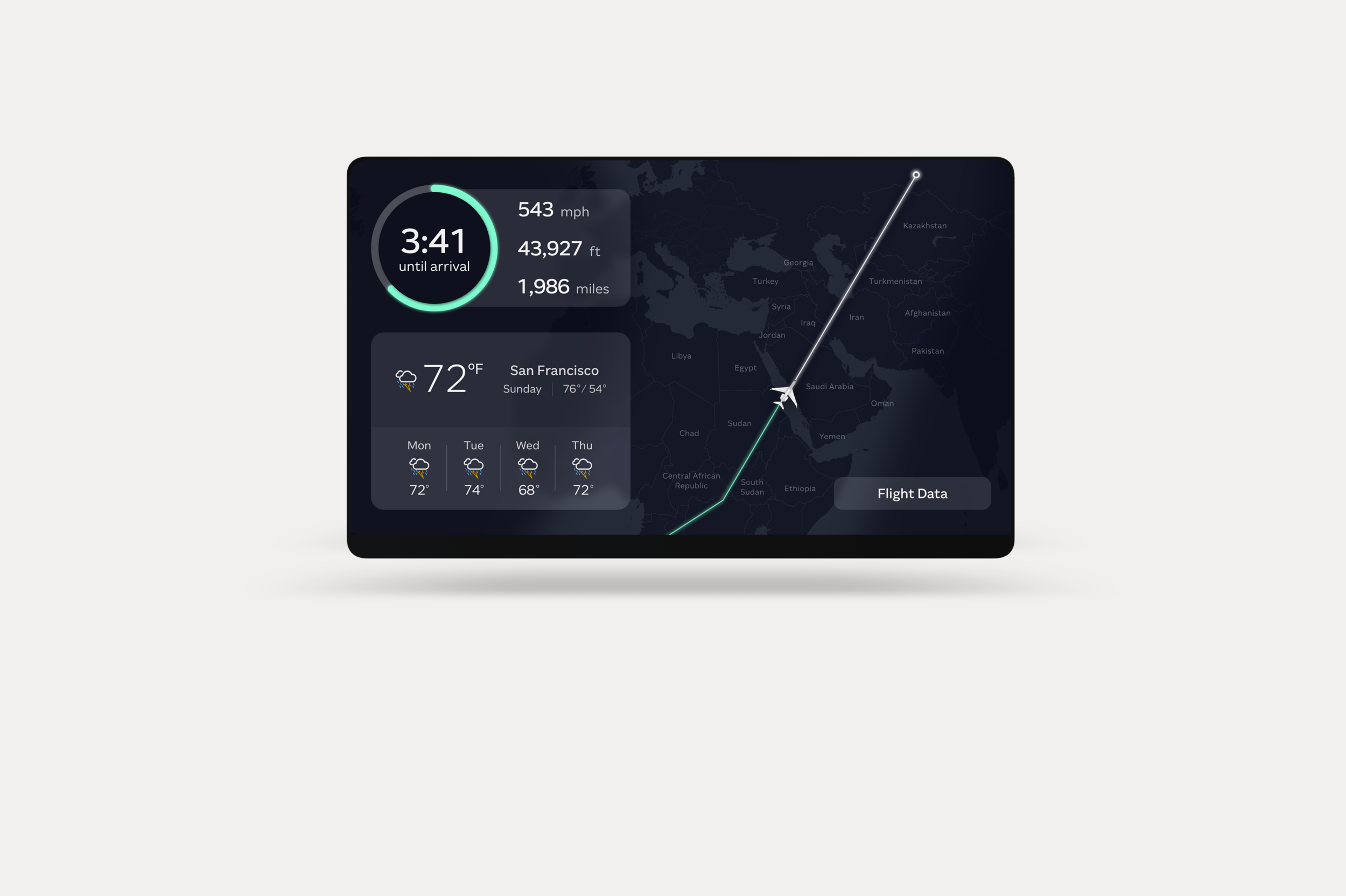
My Flight 3: Flight Information
Beautiful design that relays flight information that our passengers care about - altitude, speed, distance flown, time to arrival, & destination weather. A moving map was added to serve as a visual reference of what is being flown over at that point in time.
Windows | Android
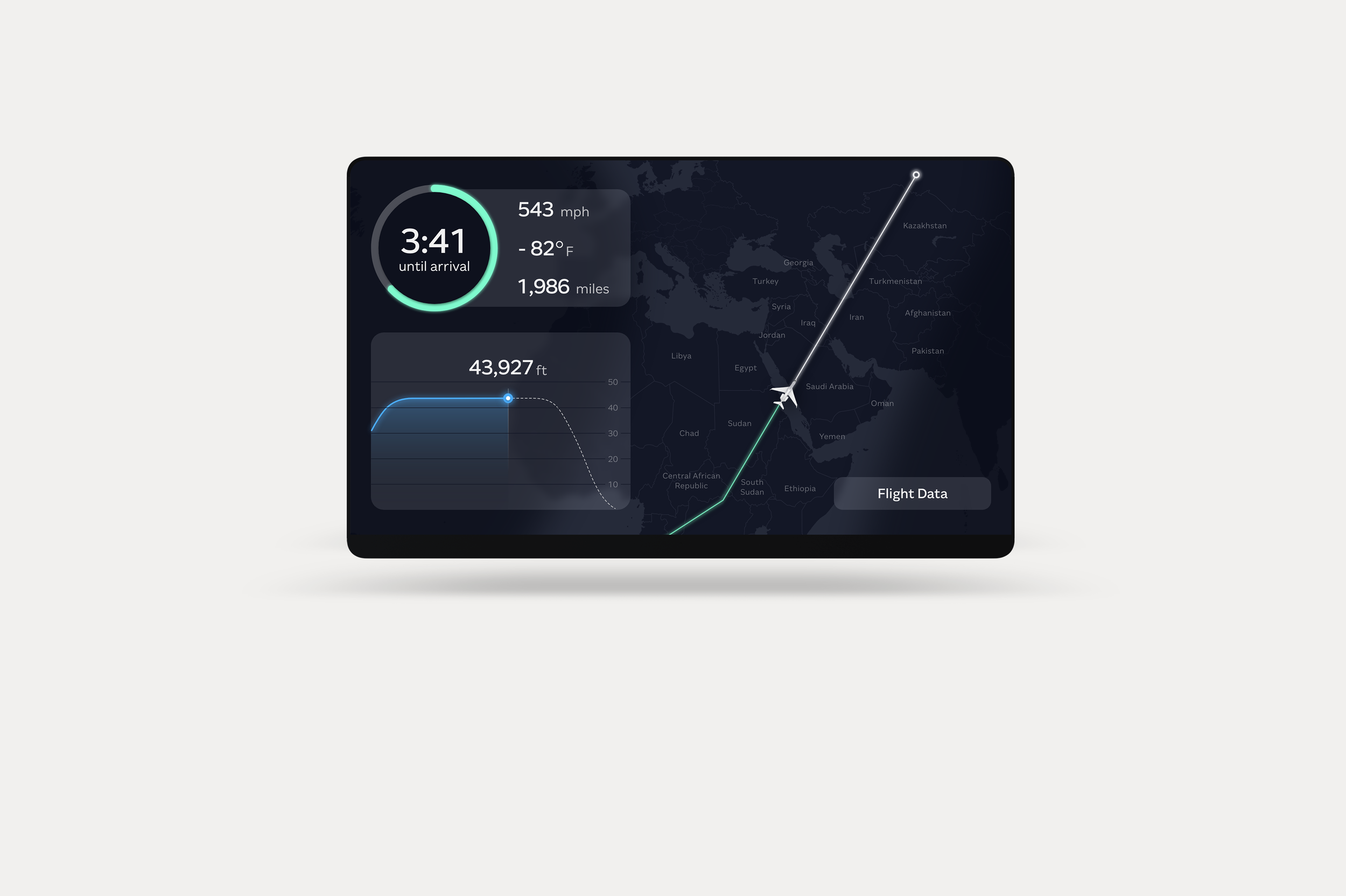
My Flight 3: Flight Information
Gulfstream’s My Flight offering is highly customizable for the most demand passengers. Passengers can choose to see various cards of flight details or information. The cards of information change in / out in specified intervals.
Windows | Android
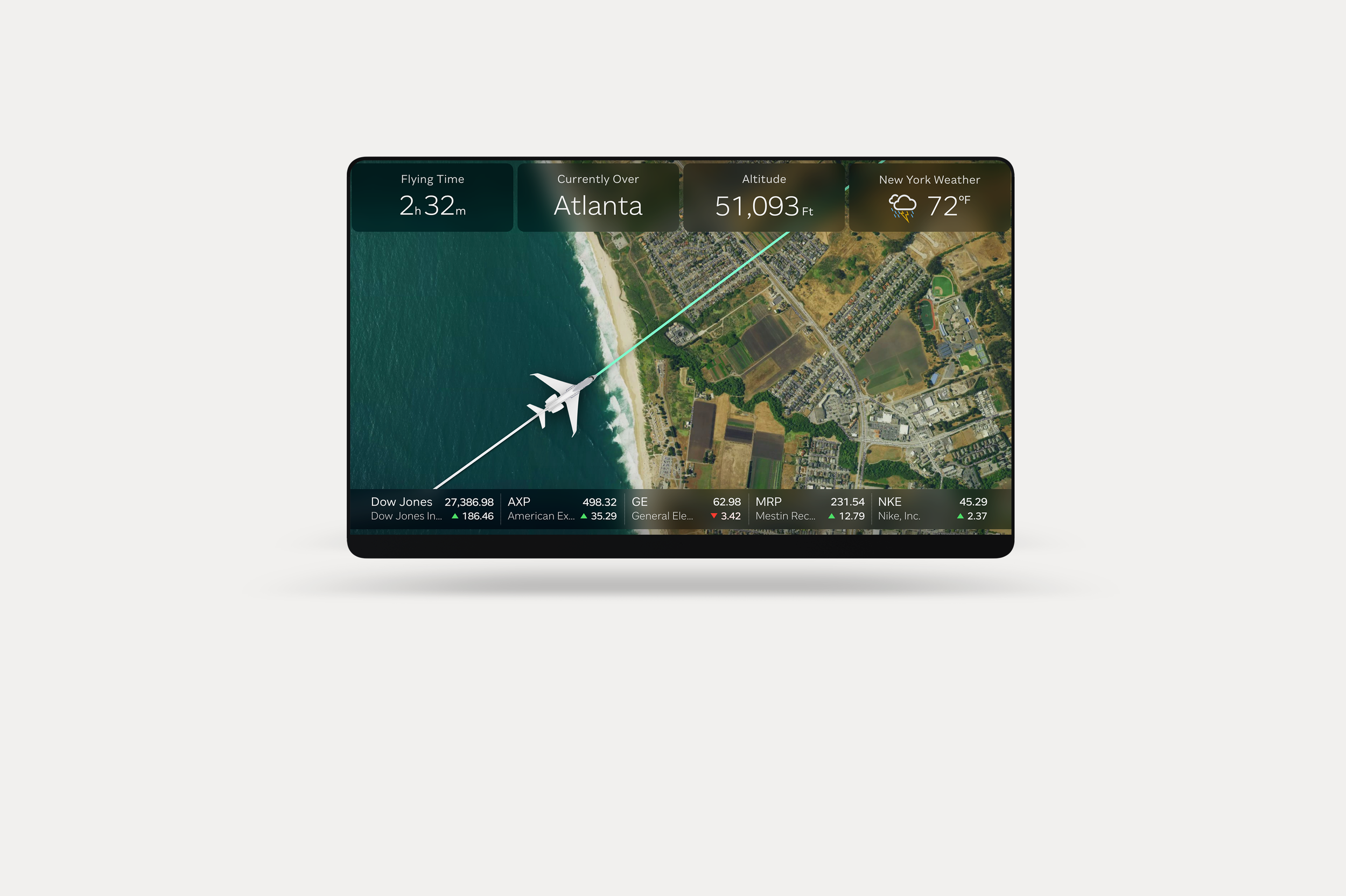
My Flight 3: 2D Moving Map
Allows passengers to reference Gulfstream’s new stunning 2D moving maps, giving Gulfstream passengers an unparalleled travel experience for the aircraft’s location. Our team felt it was necessary to present the users with basic flight information at all times (Time left in flight, altitude and temperature) - the information cards at the top switch change out to other flight details every 15 seconds.
Windows | Android
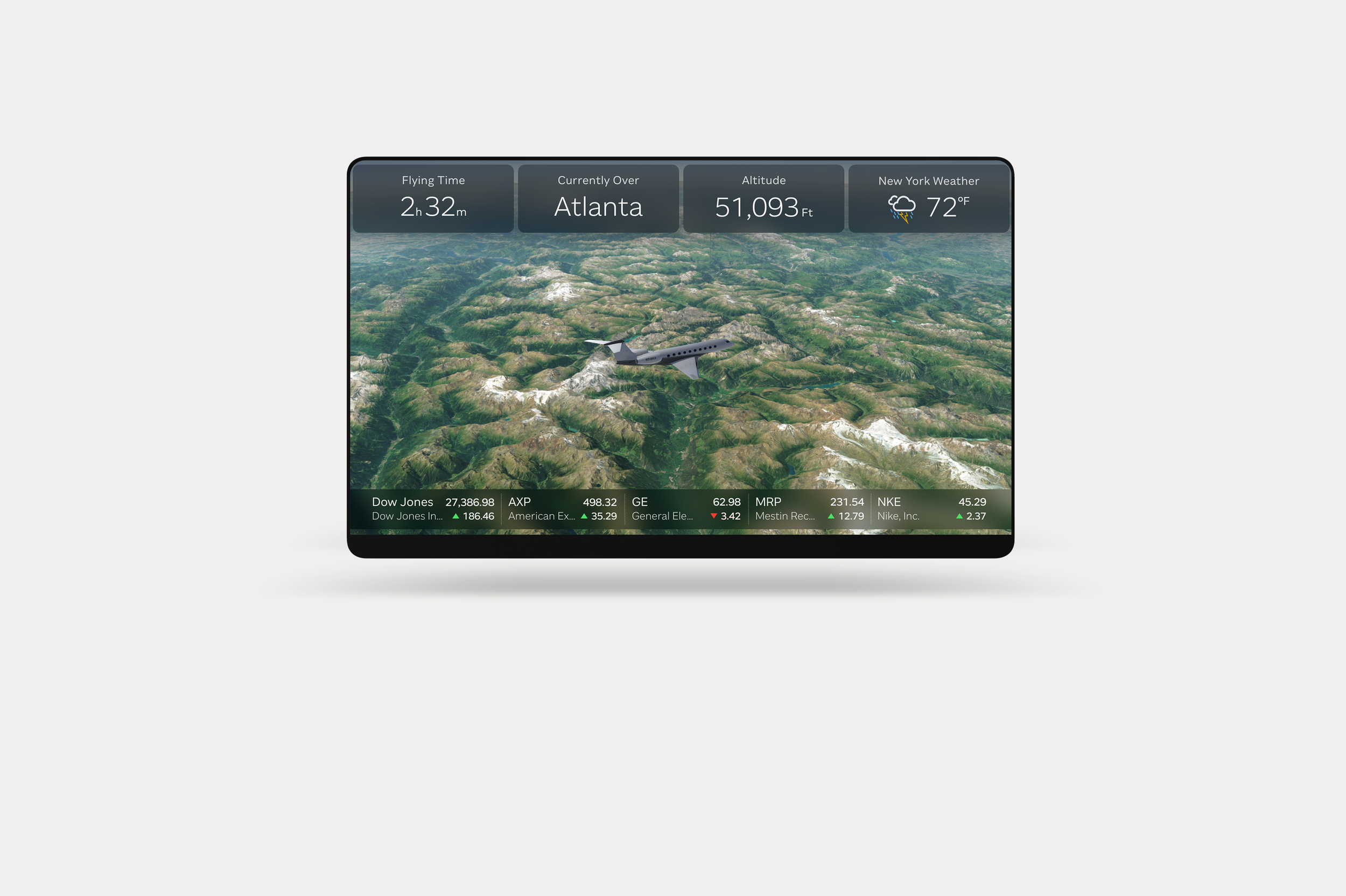
My Flight 3: 3D Moving Maps
Allows passengers to reference Gulfstream’s new stunning 3D moving maps with geographic features, giving Gulfstream passengers an unparalleled travel experience for the aircraft’s location. Points of interest are displayed as the aircraft passes over certain areas. Our team felt it was necessary to present the users with basic flight information at all times (Time left in flight, altitude and temperature) - the information cards at the top switch change out to other flight details every 15 seconds. The passengers can choose to disable the stock ticker at the bottom of the application, if they desire.
Windows | Android
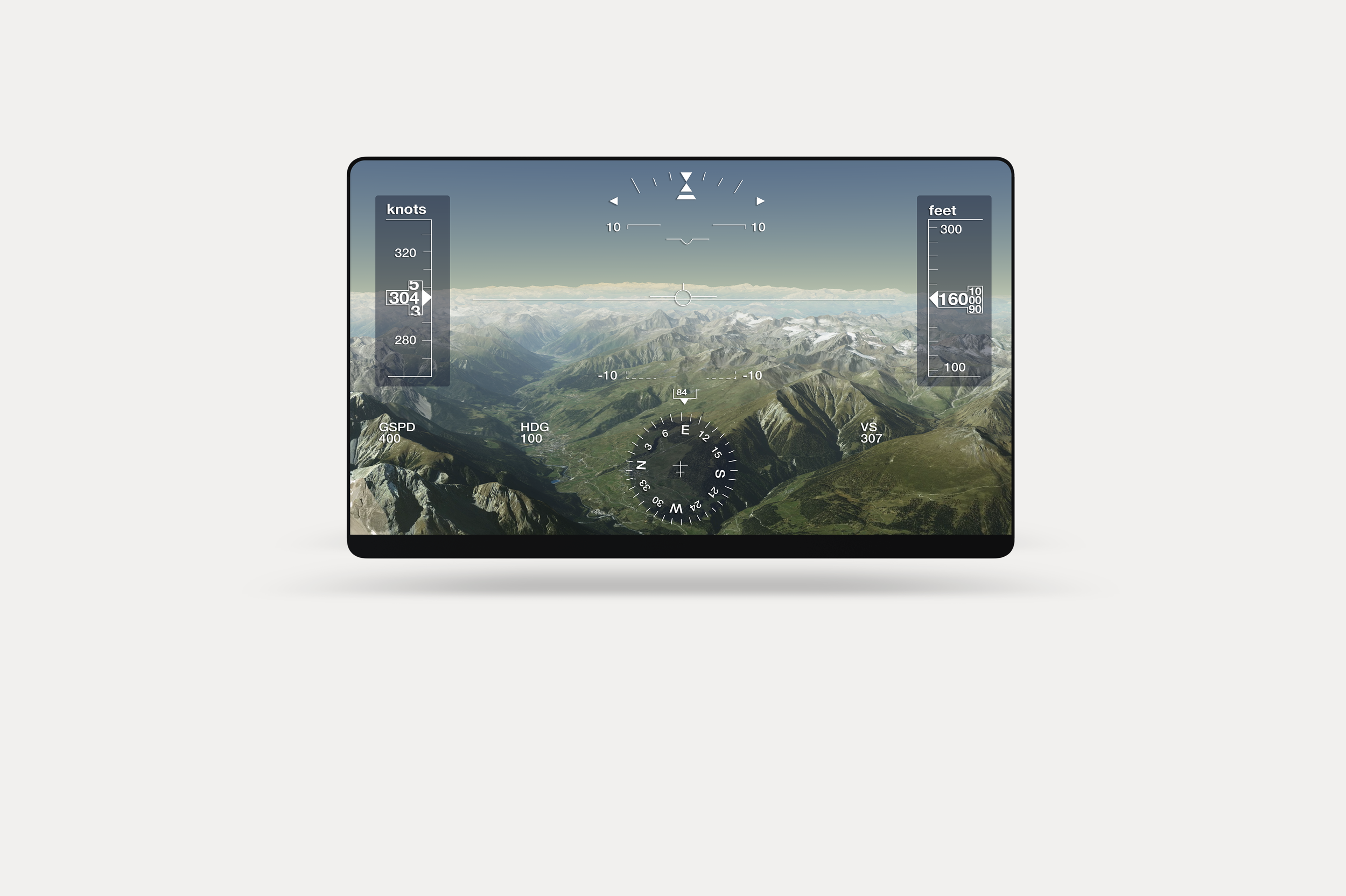
My Flight 3: Flight Deck
Our passengers sometimes desire to be a part of the “action”, this was created to meet that demand. The design brings technical assets from the design of the flight deck, balanced with simplicity so that non-pilots can understand what is being viewed. This view is popular during landings. Graphical elements are overlaid on exterior camera views or 3D moving maps.
Windows | Android
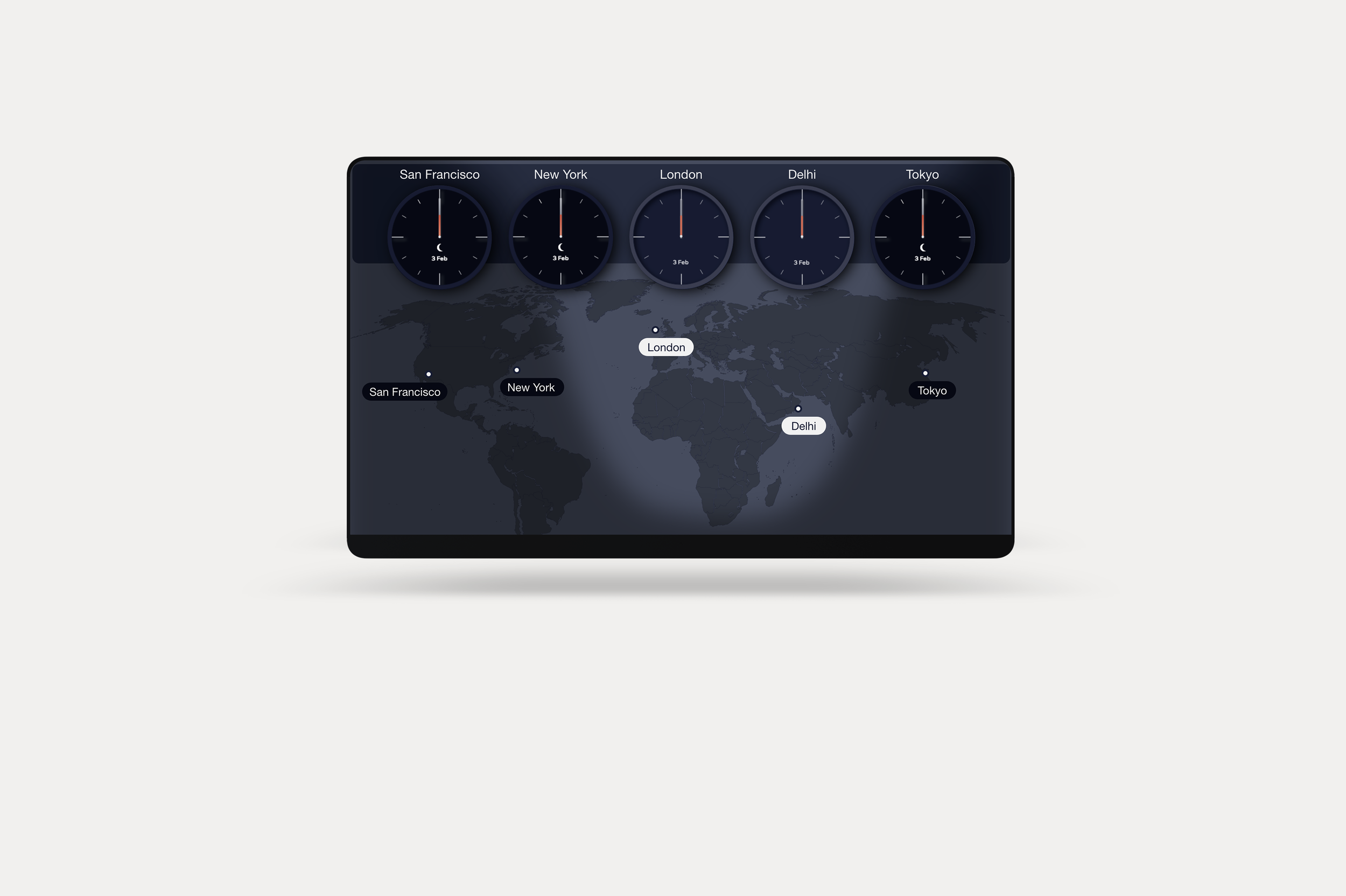
My Flight 3: World Clocks
Allows passengers to see time & location for up to 10 locations, including the origin and destination locations of the current flight. Our team believed it to be importation to add a visual reference map for the various custom locations of the world clocks.
Windows | Android